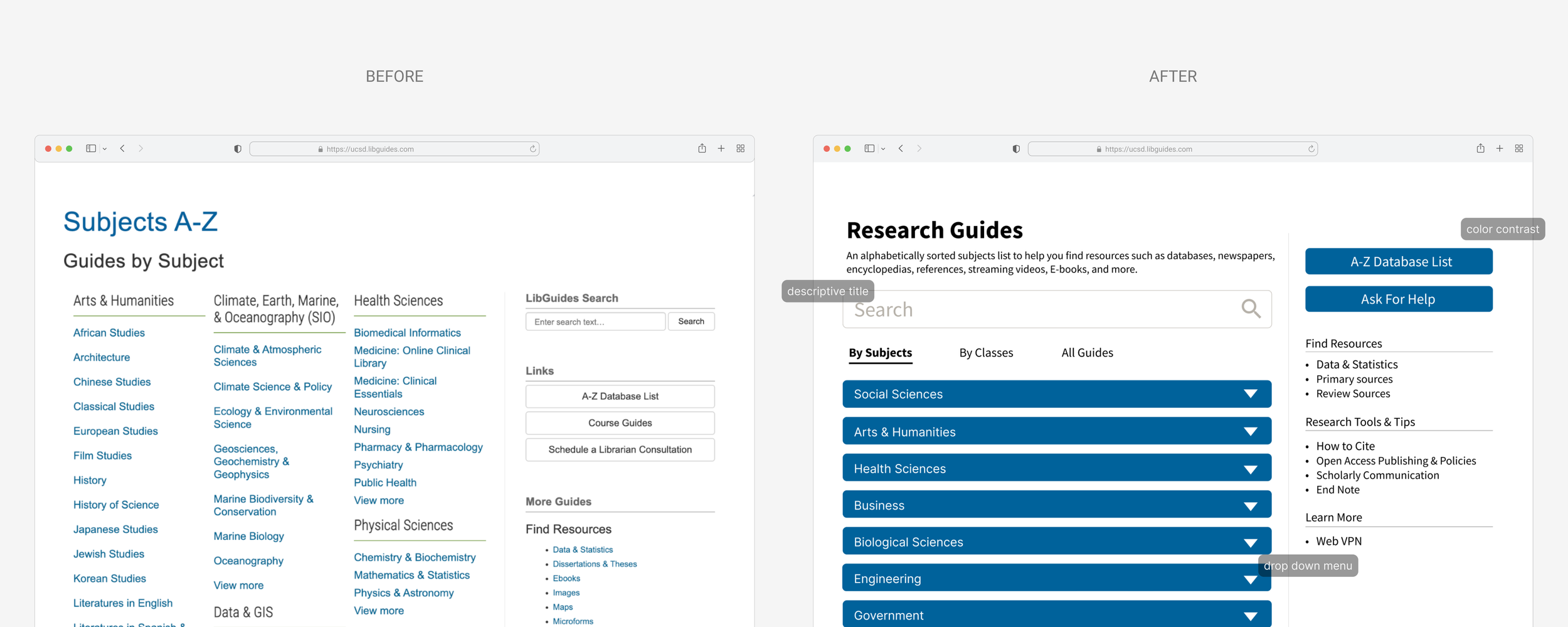
UC San Diego Library A–Z Webpage Redesign
Collaborative project with UC San Diego Library, Spring 2023
CONTEXT
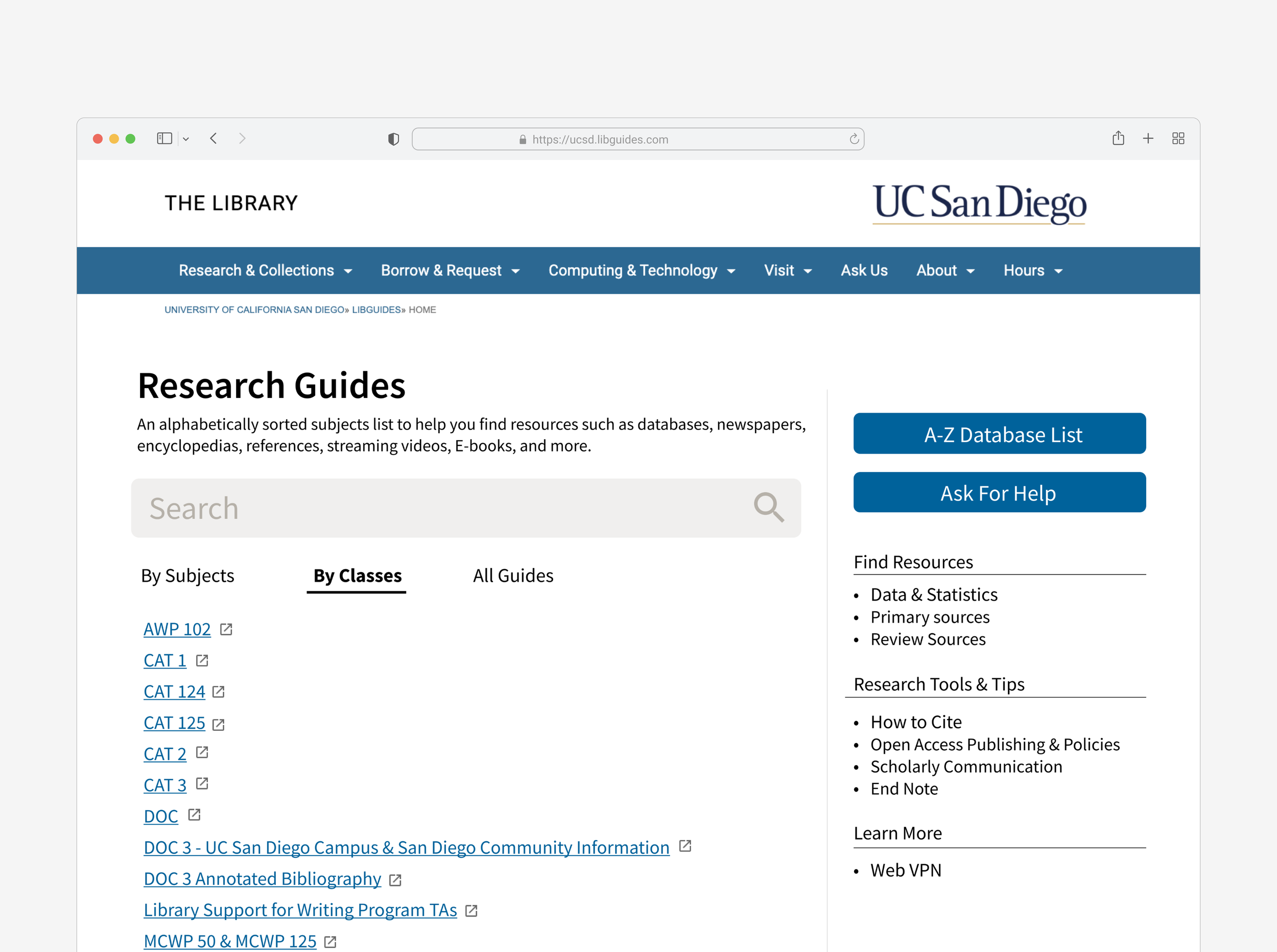
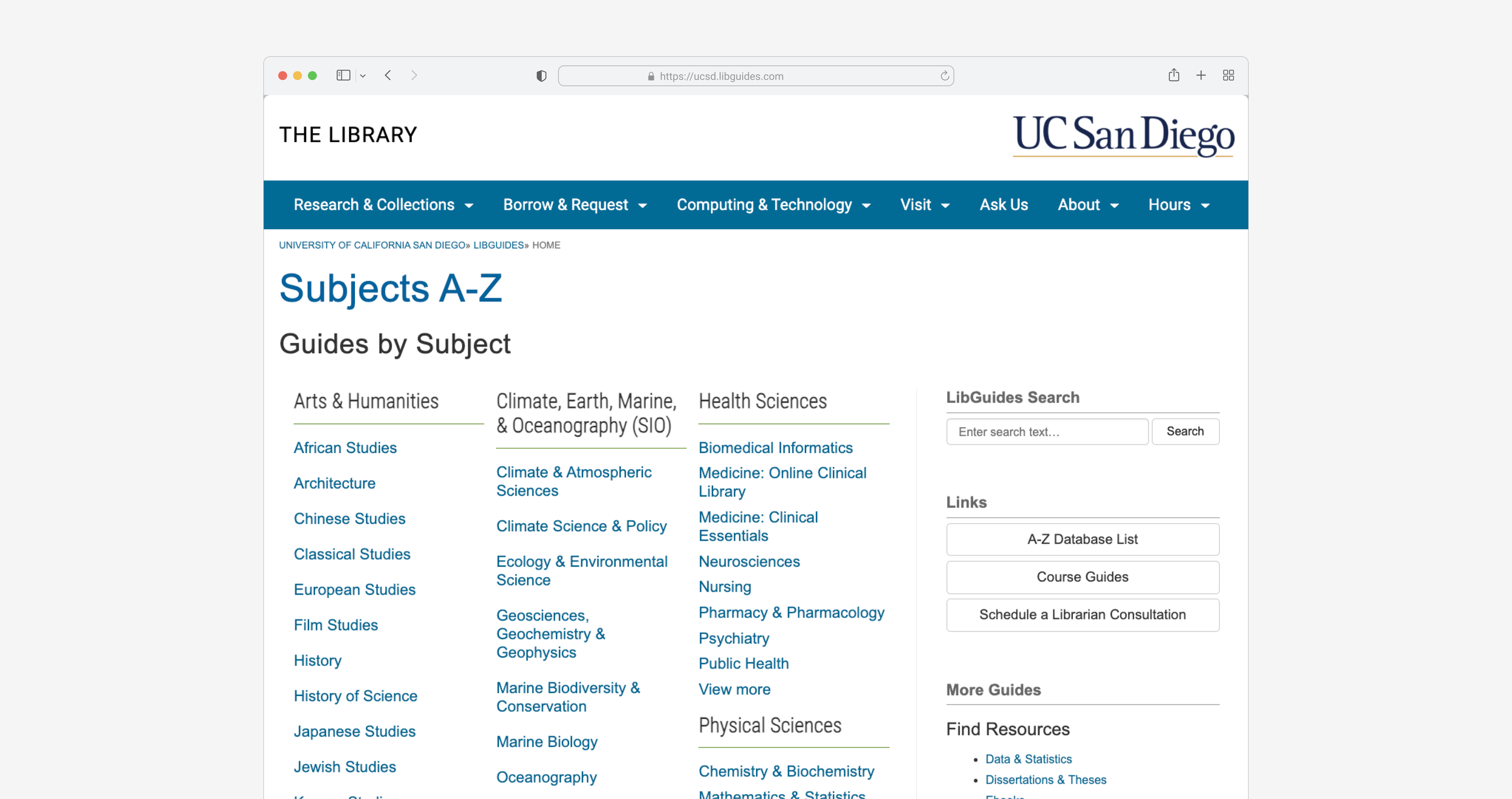
The UCSD Library's "Subjects A-Z" webpage is a critical entry point for student research
This page lists databases, newspapers, encyclopedias, e-books, and more, organized by subject area
PROBLEM
How might we redesign the A-Z webpage to minimize cognitive overload and enhance accessibility for all users?
USER RESEARCH
What exactly are the problems users facing?
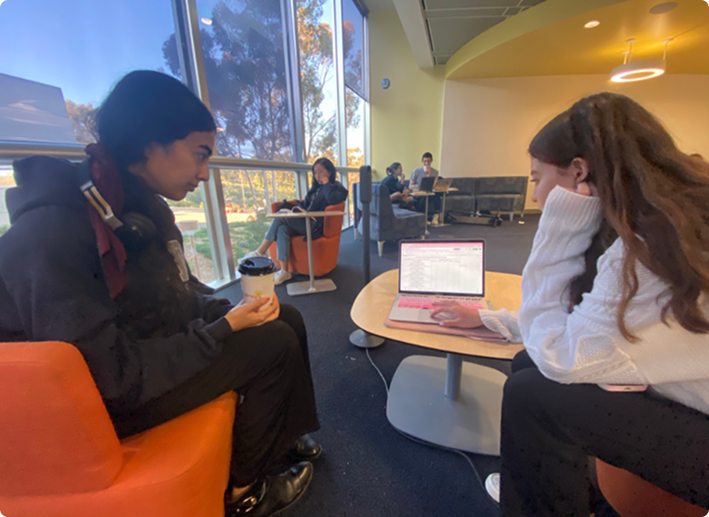
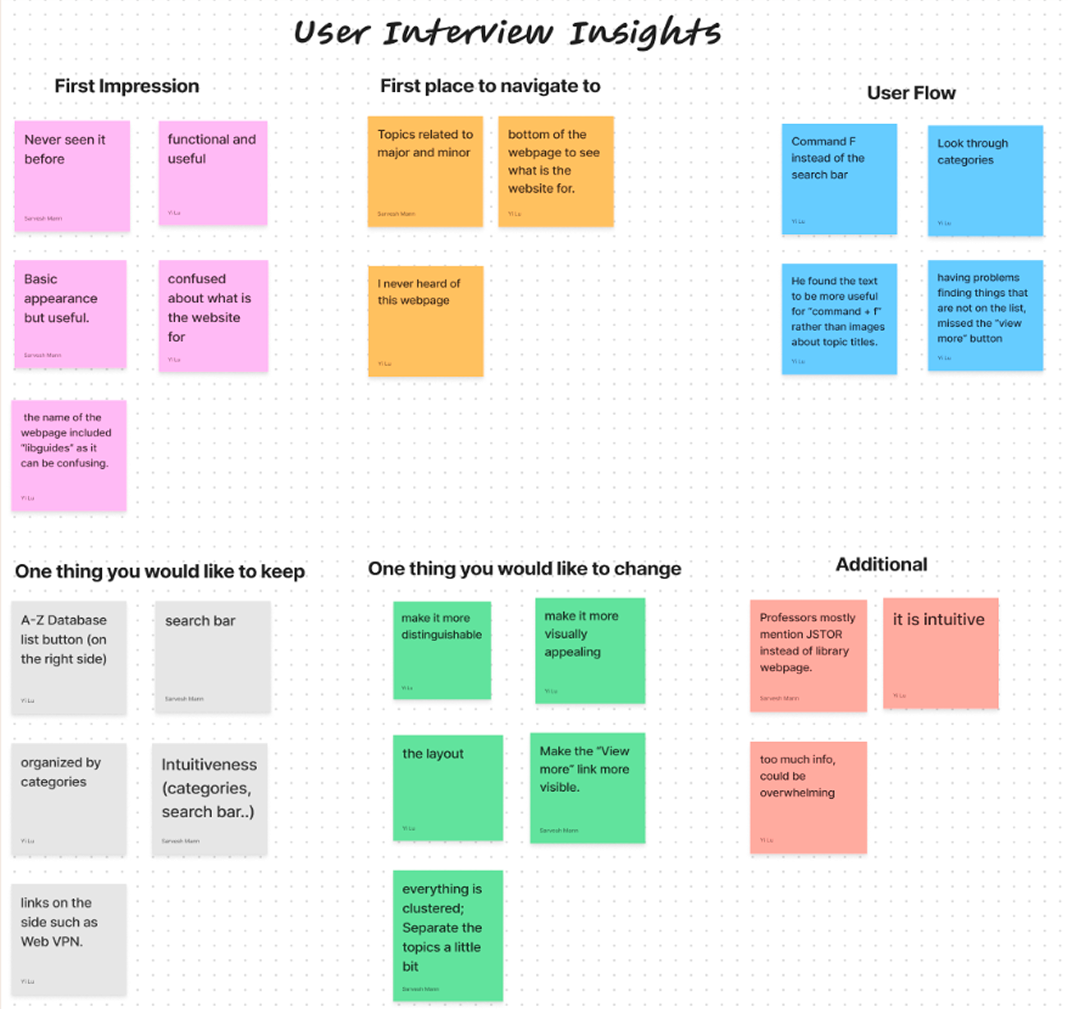
We started by talking to some users to do some usability testings to understand their current struggles.
User Interview → heat map analysis → Userway WCAG analysis
ANALYZE
What are something we found through user interviews?
PROBLEM
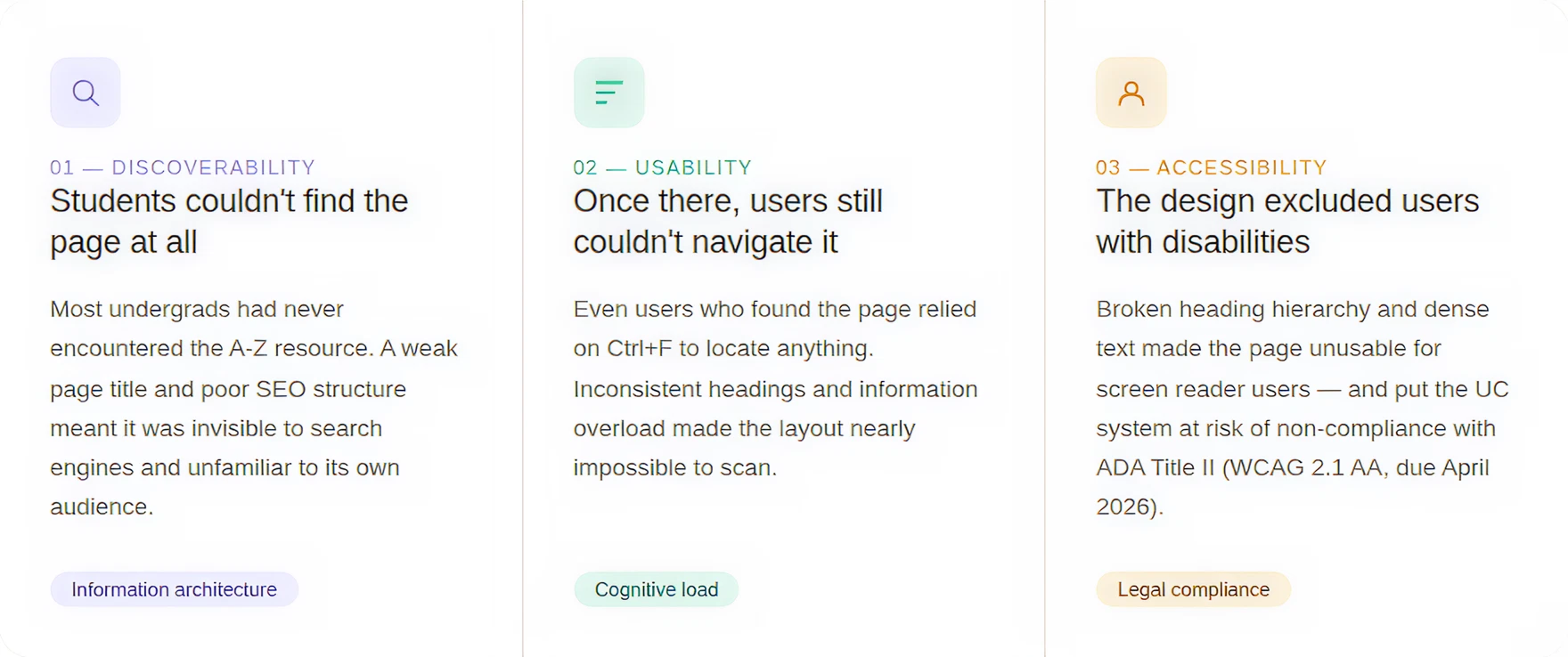
What are the problems?
Synthesizing my research across 10 interviews and the accessibility audit, three clear themes emerged:
IDEATE
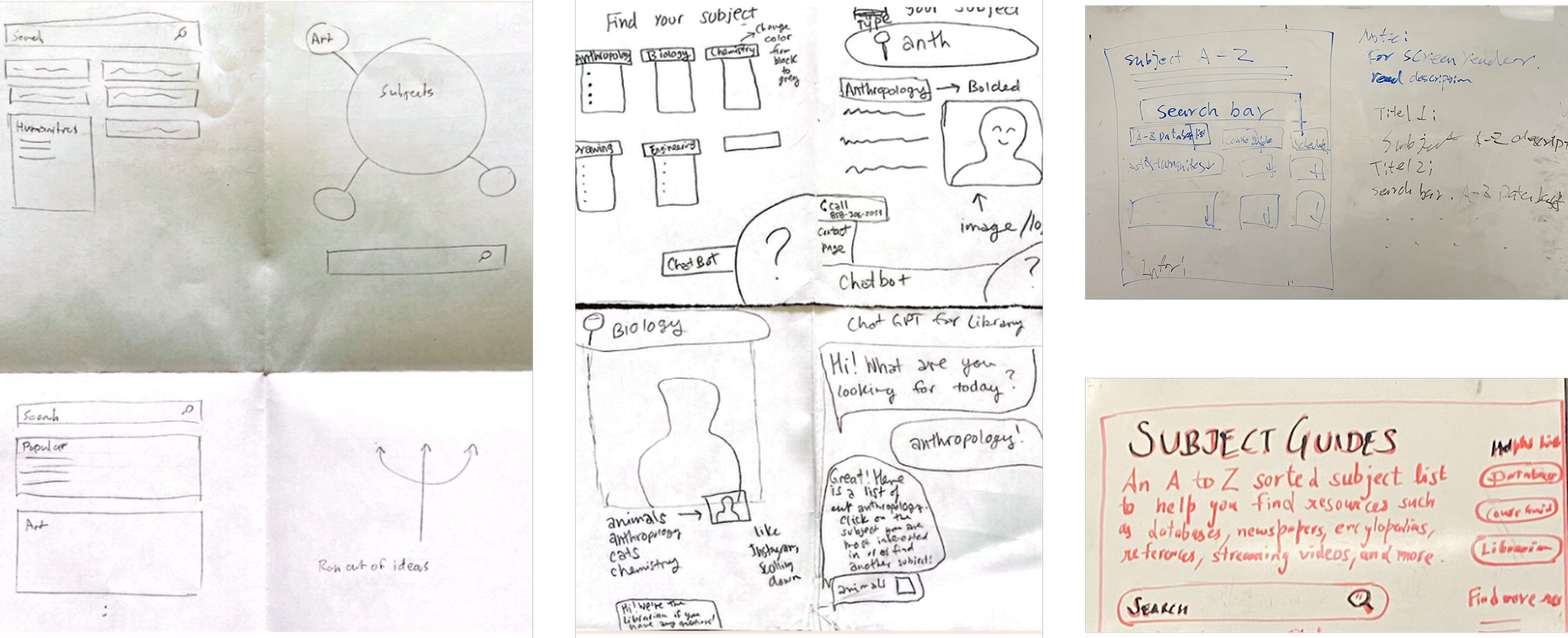
Crazy 8s: Design brainstorming
I ran a Crazy Eights exercise with the team to rapidly generate layout concepts
DESIGN SYSTEM
DESIGN CHANGE 1
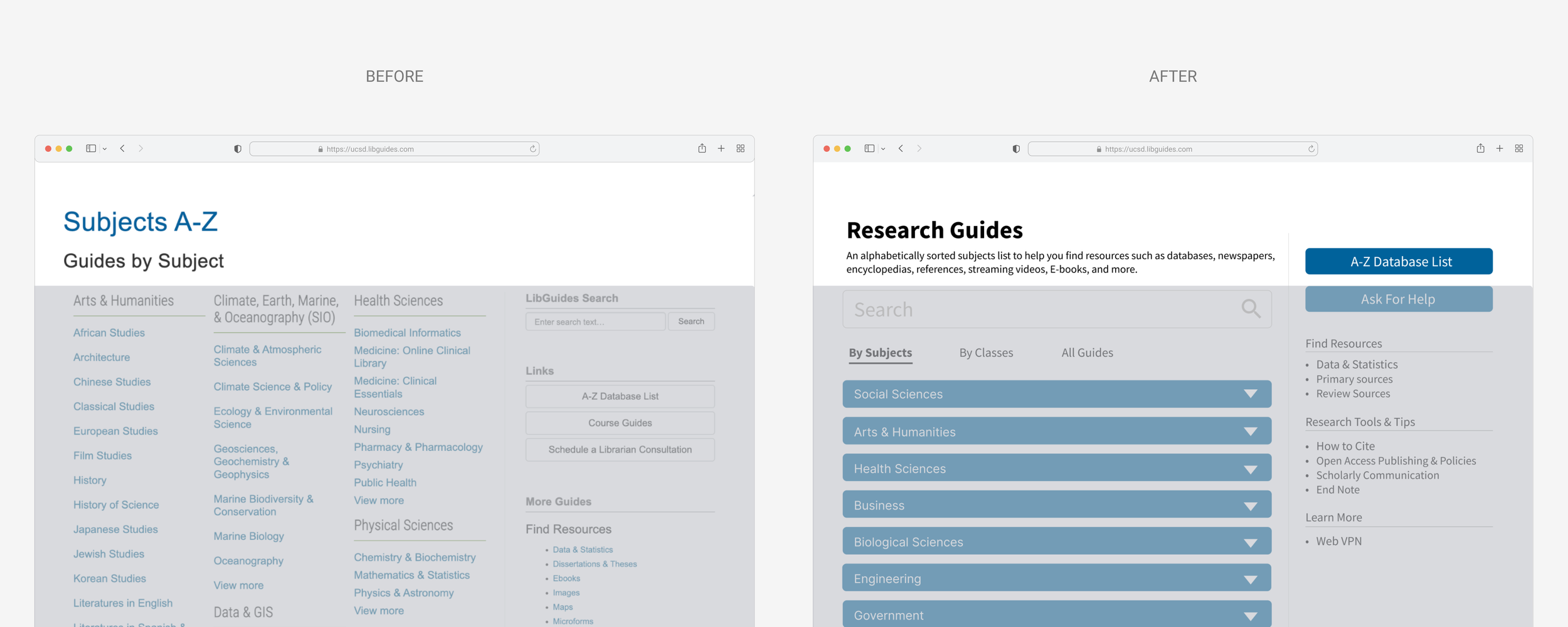
Recreate SEO Title
I replaced it with "A-Z Database List" and added a structured, descriptive subtitle. This change directly addressed discoverability (Google indexing) and the screen reader skimming problem.
DESIGN CHANGE 2
Rethink about webpage layout
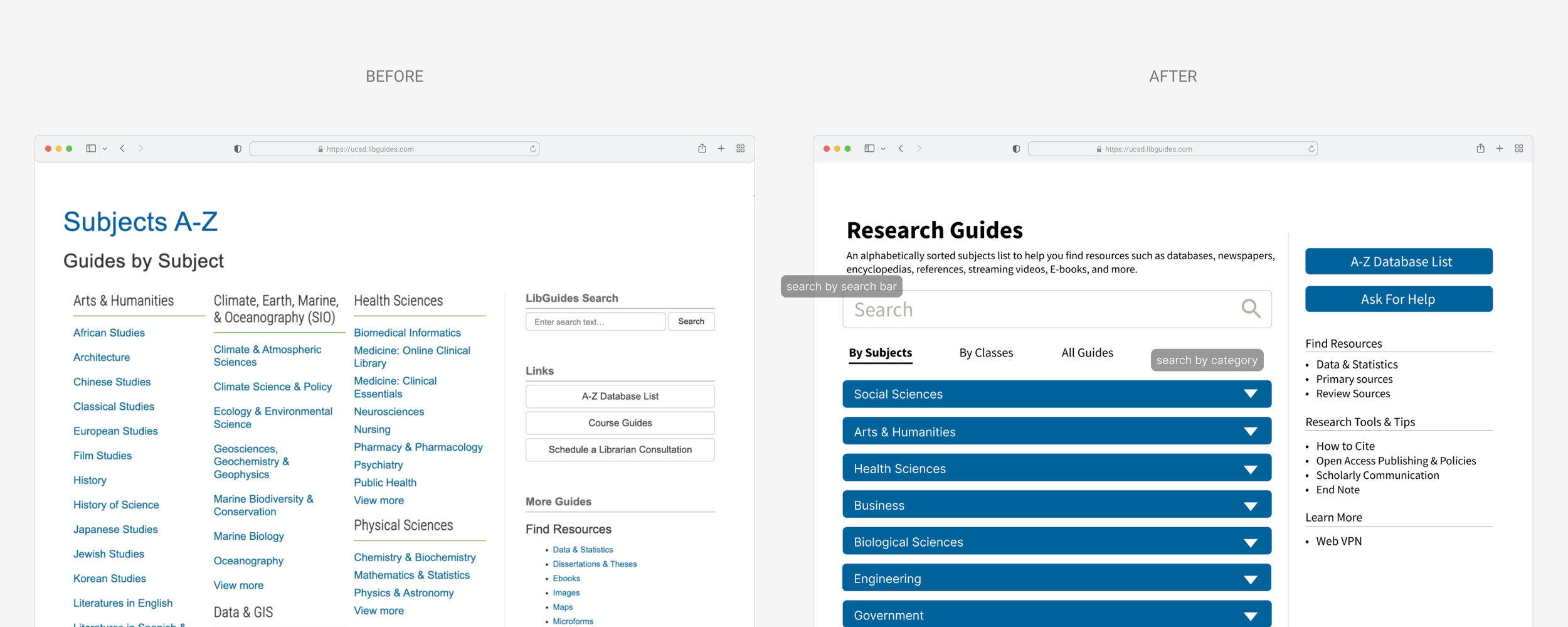
Users have different mental models when navigating — some browse by subject, others by class, others want to see everything. I introduced 4 distinct browsing paths (By Subjects, By Classes, All Guides, and a Quick Find sidebar)
DESIGN CHANGE 3
Reimagine Webpage Accessibility
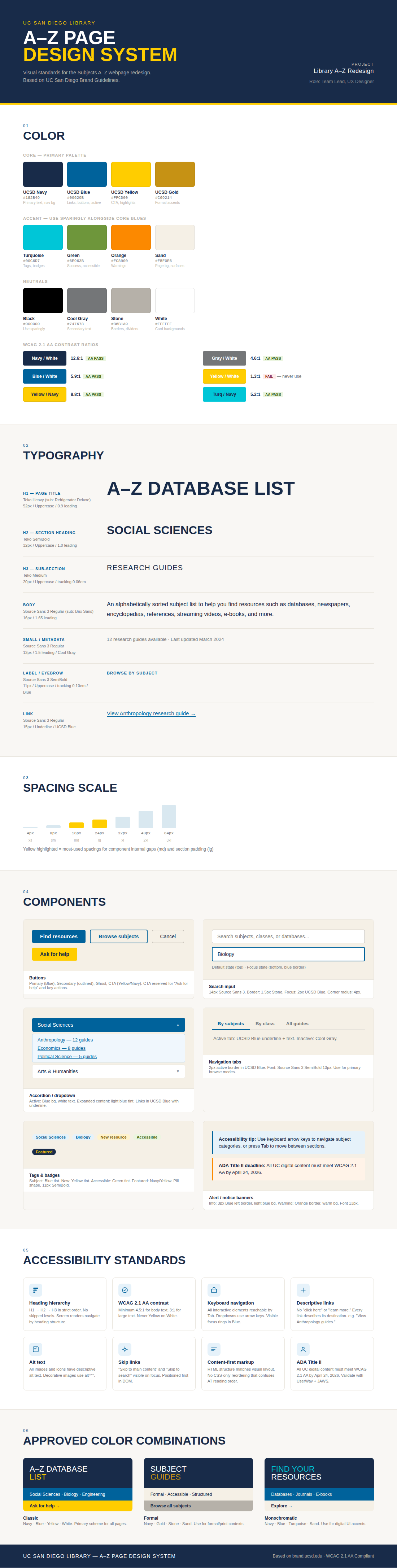
I recommended a content-first approach ensuring HTML heading hierarchy matched the visual structure, descriptive alt text for all images, and meaningful hyperlink text. I also specified color contrast ratios and delivered an accessibility checklist to the development team for implementation.